
1
Install the native app
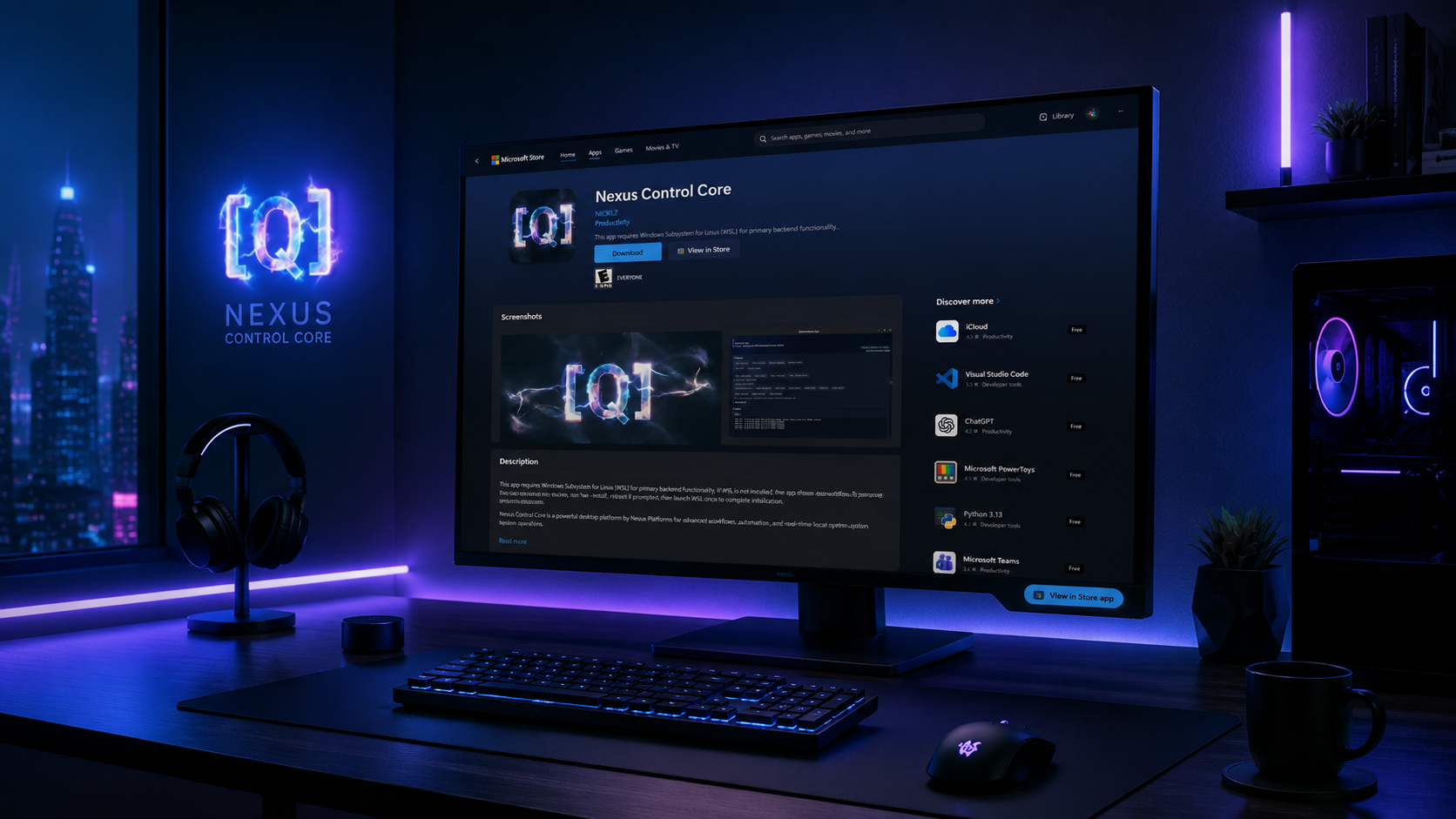
Install the native app so [Q] can connect browser AI to local files, commands, downloads, and build tools.
Nexus Platforms gives teams a lower-cost way to use AI at full power. The [Q] Chrome Extension works directly inside browser AI experiences, while Nexus Control Core on Windows or the [Q] macOS App turns that output into local files, commands, downloads, project scaffolds, scrapers, and working software.
That means startups can move faster without getting crushed by API costs, and larger companies can scale AI workflows without watching token spend grow every month. When the browser already gives you the intelligence layer, [Q] turns it into execution.
The flow is simple: install the native app, download the extension, then start building with the Startup Builder. From there, [Q] handles the bridge between browser AI and your local environment.
Install the native app so [Q] can connect browser AI to local files, commands, downloads, and build tools.
Add the [Q] Chrome Extension so Nexus Platforms can interact with browser AI, automate websites, collect output, and send structured work back to your machine.
Open Startup Builder, pick a startup concept improved by [Q], and start building software with a browser-first AI workflow instead of a token-metered API stack.
RunItByQ starts with your idea. Startup Builder starts with harvested startup concepts that have already been sharpened by [Q]. In both cases, the result is the same: a more practical path from concept to execution.
That matters because the common failure mode in AI products is not capability. It is cost. Teams get excited, ship a demo, then realize the operating model gets more expensive as usage grows. Nexus Platforms was built to break that pattern by giving you a browser-first execution path with no API cost for basic usage.
The system spans AI platforms, media tools, scrapers, startup workflows, and local execution so ideas do not stop at the prompt window.
Collect output, parse structure, continue long workflows, and push results into real local work.
Use Claude in the browser for writing, planning, code generation, and larger structured task flows.
Use Grok for fast discovery, summarization, and aggressive ideation inside broader [Q] workflows.
Automate music-generation flows and route downloads into organized local output.
Use browser-based video prompting workflows without building a separate media pipeline.
Download the current video as MP3, MP4, or WAV through the local backend connection.
Collect listing data and route it into exportable local files or broader research flows.
Capture job listings and profile data for recruiting, research, and downstream automation.
Browse startup ideas improved by [Q] and launch build workflows without a separate engineering team.
![[Q] connected status screen](images/background_02.png)
The more often a team repeats the same AI-heavy workflow, the more the billing model matters. Nexus Platforms was designed to move that cost curve in a better direction.
Estimated monthly cost exposure avoided by moving repeatable browser-friendly AI workflows away from a token-metered API path.
$24,000 estimated annual runway preserved.
For startups, that can mean more time to iterate before fundraising pressure. For enterprise teams, it can mean meaningful savings when AI usage scales across departments.
Nexus Platforms is not trying to hide what happens. It is built around visible browser workflows, local connectivity, and a machine you control.
Nexus Control Core and the [Q] macOS App run on your machine and give [Q] a real working environment for file operations, commands, downloads, and builds.
[Q] works through browser interfaces you can see, inspect, and understand rather than turning everything into an invisible API call.
Teams can design guardrails around local folders, project paths, logs, and reviewable execution steps as usage expands.
Creative tools. Practical learning. Games and everyday utilities. These projects were auto-generated and built through the Nexus Platforms workflow using Nexus Control Core and the [Q] Chrome plugin—turning browser AI output into real files, code, commands, and working software.
Looking for a free alternative to Photoshop, FL Studio or Filmora? Start with [Q] Photo, [Q] Music and [Q] Video: creative tools designed to make everyday editing easier to access, with no software purchase or subscription required. Work with layers, audio clips and video timelines directly in your browser. Explore AccordChat for Discord-style communities and [Q] Strike for Counter-Strike-inspired multiplayer, also free to use.
Free alternative to Filmora
A free Filmora alternative for browser video editing. Turn footage into finished videos with a multitrack timeline, animated titles, transitions and effects—without buying editing software.
Free alternative to Adobe Photoshop
A free Photoshop alternative for everyday photo editing and layered compositions. Use brushes, selections, blend modes and color adjustments directly in your browser, without an editing subscription.
Free alternative to FL Studio for audio editing
A free FL Studio alternative for arranging and editing audio clips. Build multitrack mixes with fades, gain and pan controls, then export MP3 or WAV—all from your browser.
Free alternative to paid resume builders
Replace a paid resume builder with a free workspace for your CV. Choose a layout, personalize colors, refine your experience in a live preview and download a PDF.
Free alternative to paid coding courses
An alternative to paid beginner coding courses, with a step-by-step path from everyday computer skills to software development. Learn through clear explanations, practical work and progress checks.
Free browser alternative to Counter-Strike
A free Counter-Strike-inspired browser shooter. Jump into Dust-inspired terrain, buy classic equipment and invite friends into private multiplayer lobbies, directly from a browser.
Free alternative to Discord
A free Discord alternative for browser-based community chat. Create conversations around servers, channels and direct messages, with image uploads, GIFs and emoji in one familiar workspace.
Free alternative to paid FTP clients
A free native Mac client for managing remote files. Connect to your servers, transfer files, edit text and save it back to the server, and troubleshoot activity with a built-in connection log.
Markdown and Mermaid editing for Mac
A forthcoming native macOS workspace for Markdown documents and Mermaid diagrams. Bring writing and diagram editing together in one desktop app. Coming soon to the Mac App Store.
Web apps open in your browser. Store links open the official download listing. These are independent alternatives inspired by familiar workflows and games. Comparison names identify the intended use; features and supported formats vary by app.